See the speech. Keep your focus on the interpretation.
Live Transcribe gives interpreters real-time transcription with terminology and number support, whether the assignment calls for fully local processing, GDPR-compliant cloud recognition or a quick mobile option.
Get InterpretBank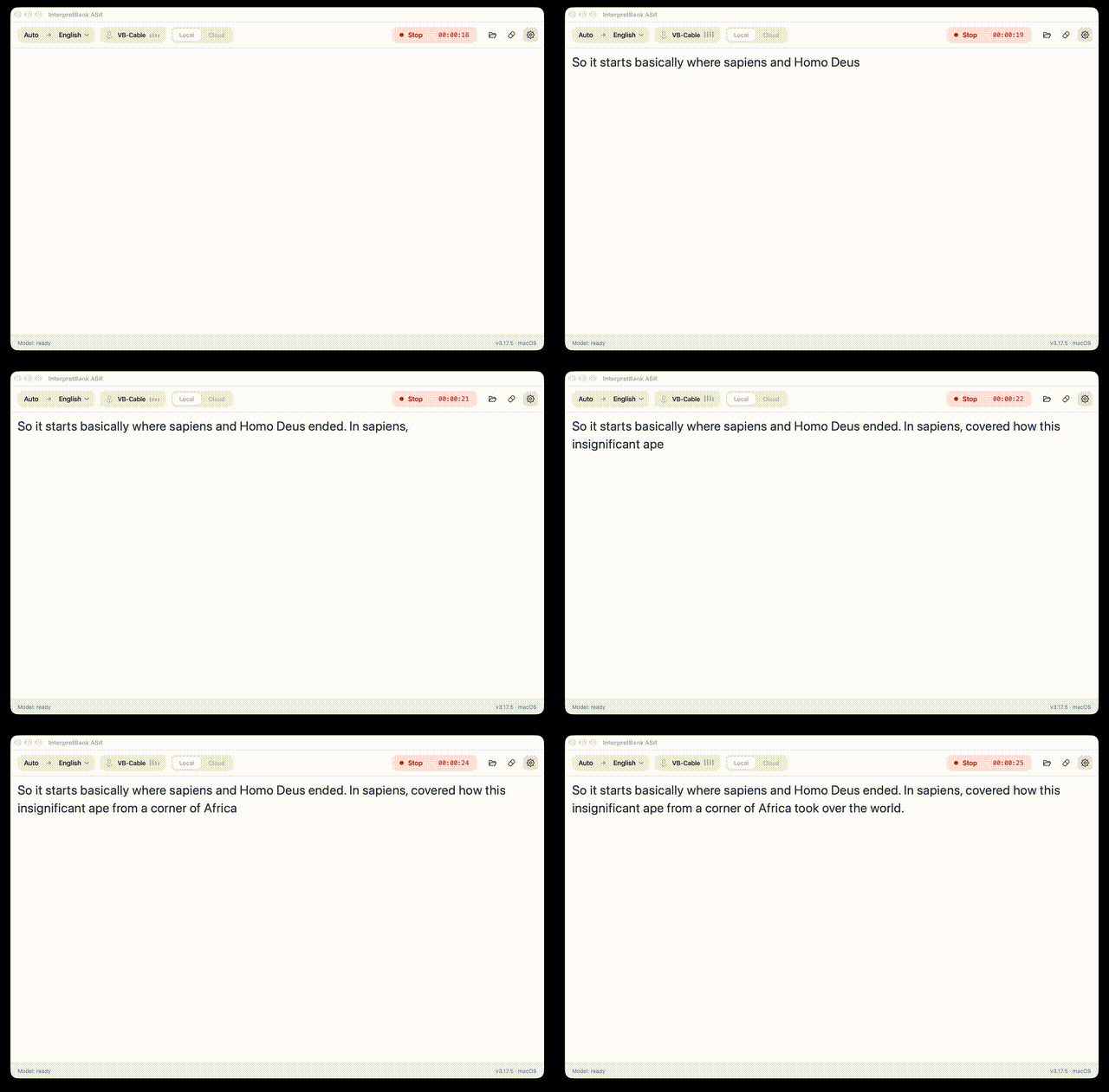
A transcription workspace designed around interpreters.
InterpretBank offers live transcription through an installable app for macOS and Windows, plus a lighter WebApp option for mobile use. The installable app supports professional workflows, including booth-console and online-meeting audio, with zero setup.
Choose a transcription model that fits the assignment: local models keep audio on your computer and do not have any usage costs (run as long as you want), while cloud models provide GDPR-compliant recognition with broader language coverage and credit-based usage.
From speech to support
- Choose an audio input
Connect the relevant microphone, physical console or any audio played on your computer (like a zoom meeting). - Select a model
Use local processing or a GDPR-compliant cloud model according to the assignment. - Work with the transcript
Follow speech, numbers and glossary matches while you interpret.
Recognition support where interpreters need it.
Local models
Run transcription on your own computer when no audio should leave the device. From small models that run on older computer to super precise state-of-the art multilingual models that require modern computers to run.
Cloud models
Use GDPR-compliant cloud transcription for high-quality recognition and wider language coverage. Runs on any computer and offers the highest accuracy in a wide variaty of situations.
High accuracy transcription
With Cloud transcription and the multilingual local models, your glossary is used to improve the transcription for specialised terminology, names and phrases.
Live glossary lookup
When you open a glossary, the app will promt you automatically when a term has been used by the speaker, including inflected forms for many languages.
Number highlighting
Make numbers easier to identify in the running transcript during high-pressure assignments.
WebApp option
Use browser-based transcription for practical, on-the-go mobile access when the desktop app is unavailable.
Live Transcribe options compared.
| Feature / data protection | Installable app Local models |
Installable app Cloud models |
WebApp transcription |
|---|---|---|---|
| No audio leaves your computer | ✓ | ||
| GDPR-compliant cloud transcription | By design | ✓ | |
| Best choice for confidential assignments | ✓ | ✓ | |
| Highest transcription accuracy | High with bigger models | ✓ | |
| Works on mobile devices | ✓ | ||
| Booth console or video-meeting setup | ✓ | ✓ | |
| Glossary suggestions during transcription | ✓ | ✓ | |
| Inflected glossary-form lookup in many languages | ✓ | ✓ | |
| Automatic number highlighting | ✓ | ✓ | |
| Supported transcription languages | Language-specific local models: Arabic, Chinese, English, French, German, Italian, Japanese, Russian and Spanish. Multilingual local models: Use any source language available in InterpretBank. |
Arabic, Bulgarian, Cantonese, Catalan, Chinese (Mandarin), Croatian, Czech, Danish, Dutch, English, Estonian, Finnish, French, Galician, German, Greek, Hindi, Italian, Japanese, Korean, Portuguese, Russian, Spanish and Tamil. | Arabic, Bulgarian, Cantonese, Catalan, Chinese (Mandarin), Croatian, Czech, Danish, Dutch, English, Estonian, Finnish, French, Galician, German, Greek, Hindi, Italian, Japanese, Korean, Portuguese, Russian, Spanish and Tamil. |
Bring a clearer view to live interpreting.
Choose the transcription setup that fits your assignment, environment and data requirements.
Download InterpretBank